
Resource Pack Access
3.99 USD · One purchase, both edition bundles
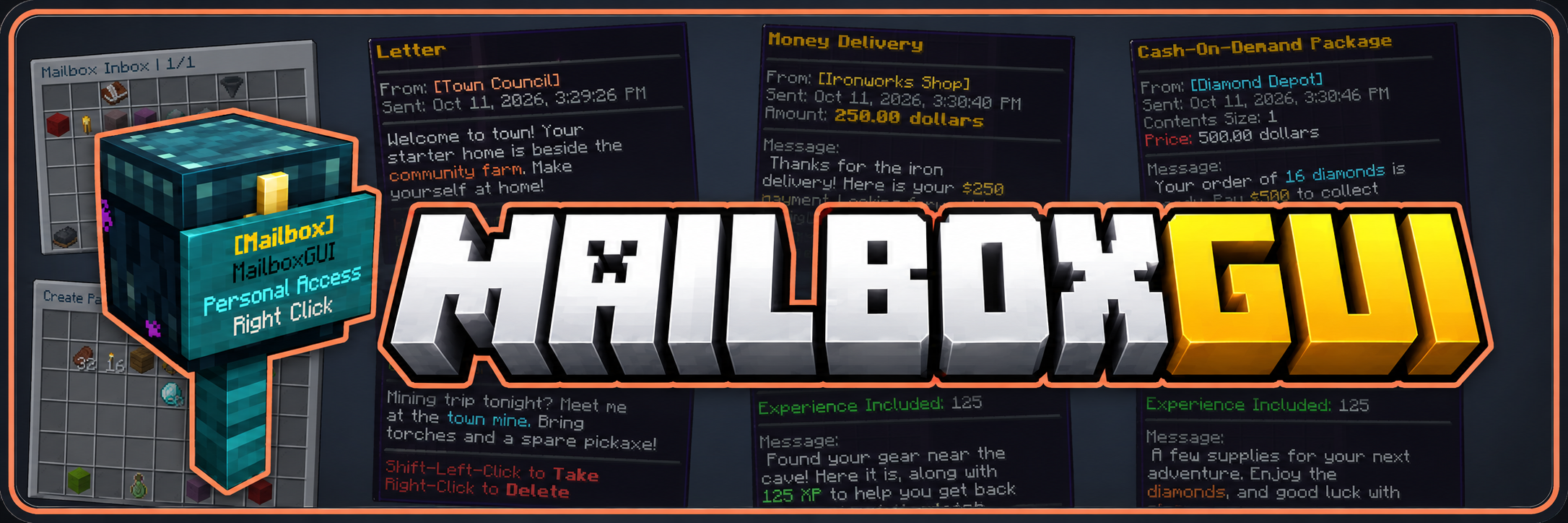
Access Point or Command-Based GUI Mail System
MailboxGUI is an advanced GUI mail system for Minecraft servers, built around physical mailbox access points or command-based inbox access. Let players use personal mailboxes, Public Access Mailboxes, or optional Citizens NPCs, or enable command access to open the mail GUI with /mb open. Choose the access style that suits your server.
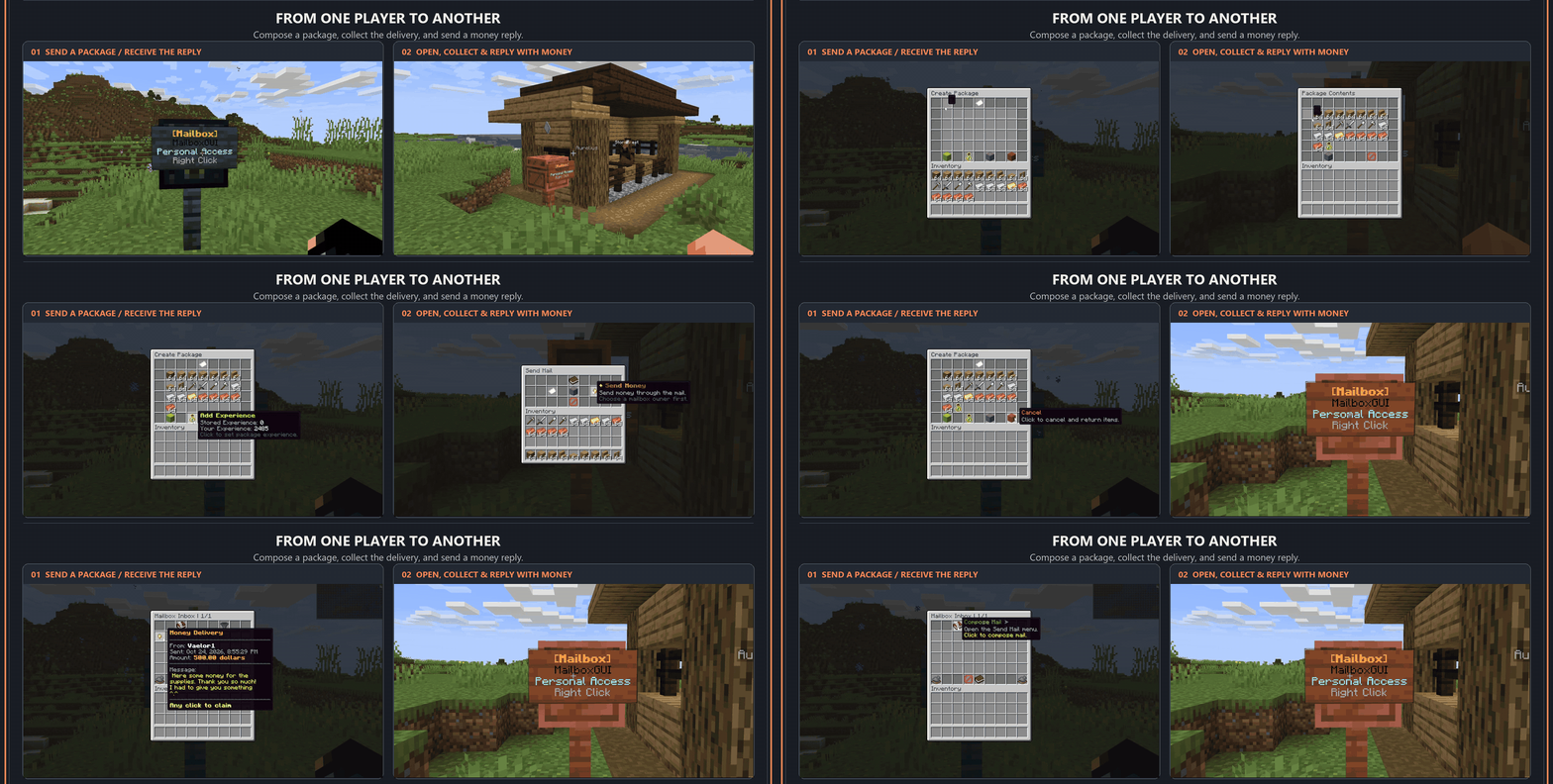
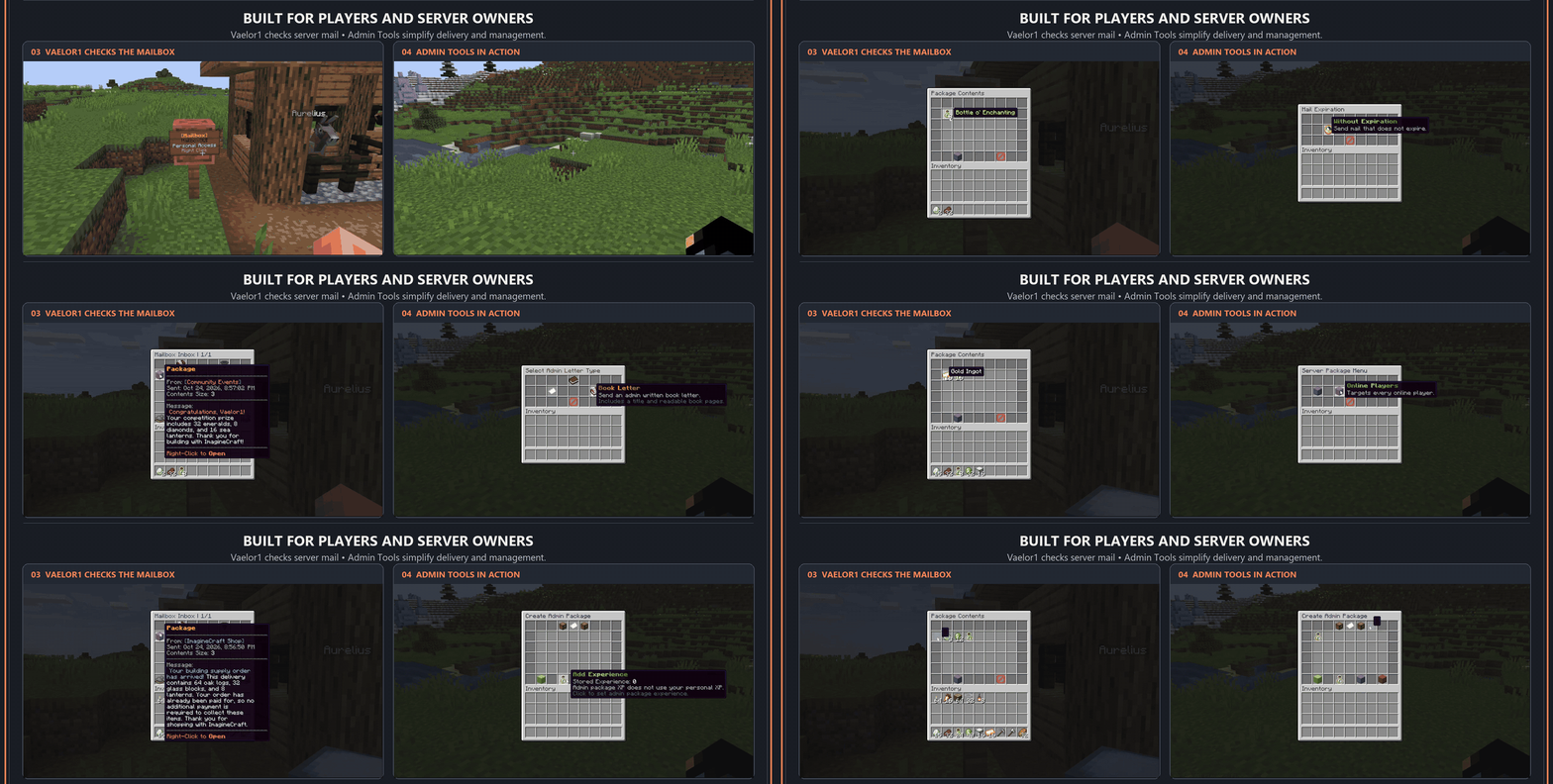
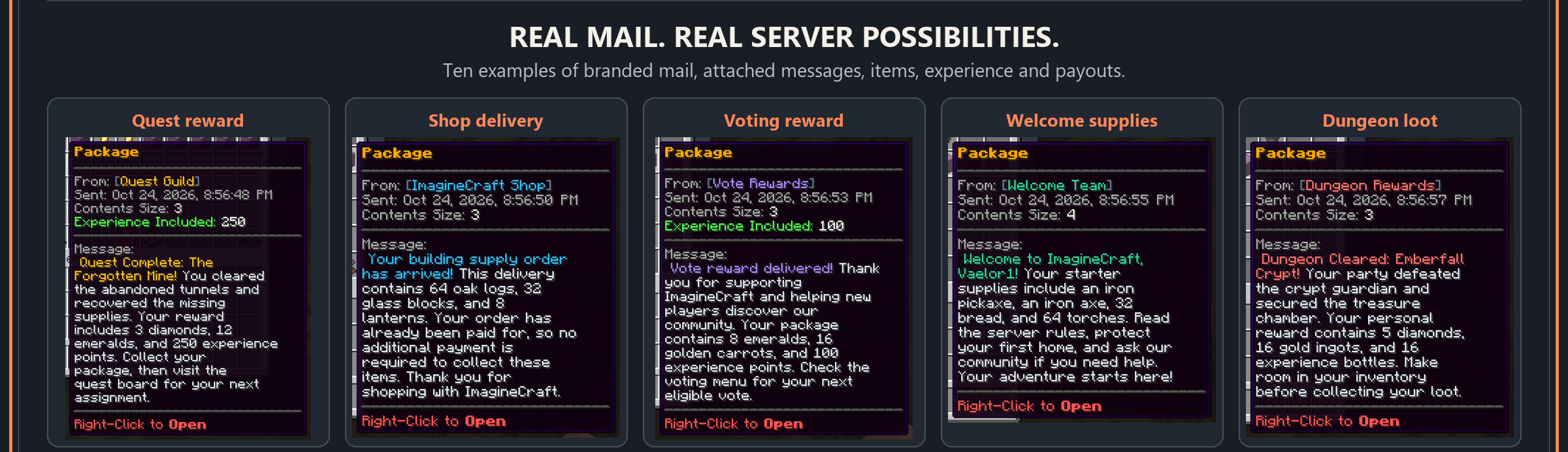
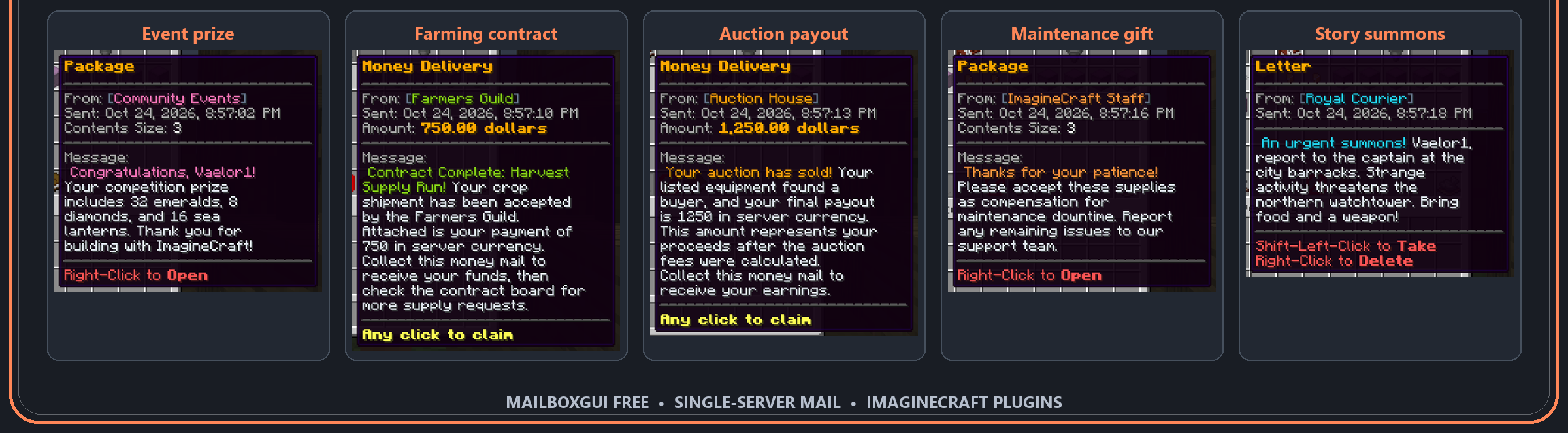
Send letters, packages containing up to 28 item stacks, experience, and money mail, with attached messages and convenient replies. Deliver quest rewards, shop orders, voting rewards, event prizes, auction payouts, and welcome kits through one mail system. Connect other plugins through the public developer API or automate deliveries with admin and console commands. Customizable GUIs, HEX colors, localization, scheduled mail, and admin tools help you make the system your own.
Two editions, one mail system: Free provides single-server mail. Premium includes the shared Free features plus network mail and administration tools. Choose Free if you do not need networking.
The overview images and animations demonstrate shared mail features using MailboxGUI Free. Sections labeled Free & Premium apply to both editions; sections labeled Premium describe network features.
Free vs Premium · Version Support · Shared Features · Premium Network Features · Commands and Permissions · Installation · Dependencies · Support · Contributors
| Feature / Requirement | Free | Premium |
|---|---|---|
| Recommended setup | Single-server mail system. | Multiple backend servers sharing one mail system. |
| Letters, packages, money mail, and COD | Included; money features require Vault and an economy plugin. | Same mail types and economy requirements. |
| Package capacity and attached messages | 28-slot packages, package/COD messages, and money-mail messages. | Same shared features. |
| Custom GUIs and ItemsAdder | gui.yml customization, optional ItemsAdder appearances, and icon fallbacks. | Same customization plus shared or backend-local GUI themes and network menu appearances. |
| Personal and Public Access Mailboxes | Supported on the local server; optional Citizens NPC access. | Same mailbox styles plus synchronized registrations and Public Access Mailboxes across participating backends. |
| Admin Tools and Shared Admin Inbox | Local administration, inbox checking, sending, cleanup, and conversion tools. | Shared tools plus network diagnostics, routing inspection, backend information, and configuration consistency checks. |
| Languages and localized commands | 16 languages; localized syntax with English commands always available. | Same language and command localization support. |
| Storage | SQLite default, YAML, or MySQL/MariaDB for single-server use. A MySQL connection does not enable networking. | Network mode requires shared MySQL/MariaDB and Redis. Local setup mode also supports SQLite or YAML. |
| Shared player inboxes | No cross-server inbox synchronization. | Share player inboxes and synchronize inbox changes across participating backends. |
| Notifications and player preferences | Local new-mail notifications and player settings. | Route notifications to the player's current backend and synchronize supported preferences. |
| Mailbox kits | Local configured kits and usage limits. | Local kits plus optional shared kit settings and coordinated usage. |
| Backend and group targeting | No network backend targeting. | Target supported mail to one or multiple backends, named groups, or routes with exclusions. |
| Where targeted mail can be claimed | Local mail handling. | Targeted mail remains visible across the network; reading or claiming requires an eligible backend. |
| Mixed-version item compatibility | Uses the local server's item support. | Optional mixed-version backend checks, restricted-mail displays, and partial claims of compatible package contents. |
| Concurrent delivery and claims | Single-server mail handling. | Distributed locks and fresh-state checks coordinate delivery, claims, COD actions, and registration changes across backends. |
| Scheduled mail | Automatic local tasks with dates, repeat schedules, timezones, expiration, and restart catch-up. | Same scheduling plus coordinated network occurrences, execution owners, recipient scopes, and backend/group claim targets. |
| Reconnect handling | Local persistence and upgrade handling. | Reconcile shared inbox changes after backend reconnects. |
| Developer API and PlaceholderAPI | Mail, inbox, schedule, and lifecycle APIs; optional local placeholders. | Same APIs plus network backend, group, presence, routing, status, and claim-eligibility access. |
| Discord notifications | Optional DiscBridge Free + DiscordSRV on the same server. | Optional DiscBridge Premium + DiscordSRV on one designated notification backend. DiscBridge Free is incompatible. |
| BungeeCord / Velocity installation | Runs independently on a backend; no shared network mode. | MailboxGUI Premium on every participating backend, never on the proxy. Requires shared database and Redis services. |
| Resource pack | Optional separate pack; not included in the plugin JAR. | Optional separate pack; not included in the plugin JAR. |
| Compatibility | Details |
|---|---|
| Platforms | Paper • Spigot • Purpur • Bukkit |
| Minecraft Version | 1.18.2–26.3 |
| Local storage — Free & Premium | SQLITE (Default) • MYSQL/MariaDB • YAML |
| Network storage — Premium | Shared MySQL/MariaDB + Redis |
Languages: English • German • Spanish • French • Italian • Japanese • Korean • Dutch • Polish • Brazilian Portuguese • Russian • Swedish • Ukrainian • Simplified Chinese (Mainland China) • Traditional Chinese (Hong Kong SAR) • Traditional Chinese (Taiwan)
| MailboxGUI Version | Support Status | Upgrade Information |
|---|---|---|
| 2.1.0–5.1.1 | Unsupported | For single-server use, upgrade to 6.1.0 Free. If you use network mode in 5.0.0–5.1.1, upgrade to 6.1.0 Premium to retain network features. |
| 6.0.0–6.1.0 Free | Supported | Single-server edition; no network features. Includes upgrade systems for older installations. Use 6.1.0 Free for the latest Free release. Back up your plugin folder and database before updating. |
| 6.1.0 Premium | Supported | Latest network mode edition. Use this edition when upgrading a 5.0.0–5.1.1 installation that uses network mode. |
Release note: 6.1.0 is the first Premium network release. MailboxGUI 6.0.0 was never a Premium network release.
gui.yml./mb track./mb check./mb kit.Connect other server plugins to MailboxGUI through its public developer API. Both editions include:
For setup, supported API methods, and integration examples, see the API Integration Guide.
Personal and Public Access Mailboxes use the same supported styles. Public Access NPCs are available through Citizens, ideal for mail rooms, post offices, and public access points.
Mailbox registration supports regular wall signs and fence bases available on your server version. Hanging signs are not registration signs. Unsupported materials are safely ignored on older versions.
Scheduled Mail lets server owners create automatic mail tasks from config.
Scheduled Mail Supports:
MailboxGUI Premium 6.1.0 extends the shared mail system across participating backend servers. Network mode requires shared MySQL/MariaDB and Redis.
Player commands require mailboxgui.player.use. Additional permissions and settings are listed below; configuration paths refer to config.yml. Enabled world restrictions still apply.
The mail-sending command is /mb send <letter/package/money>. Choose the type you want to send.
| Command | Permission | Requirement / Action |
|---|---|---|
/mb or /mb help | mailboxgui.player.use | Show command help. |
/mb open | mailboxgui.player.open | Enable mailbox.command-open.enabled; opens your mailbox. |
/mb guide | mailboxgui.player.use | Show the mailbox setup guide. |
/mb register / /mb unregister | mailboxgui.player.use | Register or unregister a personal mailbox through selection. |
/mb check | mailboxgui.player.use | Read-only check; mailbox.mailbox-check-command.setting selects GUI or text. |
/mb track | mailboxgui.player.use | Requires mailbox.mail-tracking.enabled; shows queued delayed mail. |
/mb kit [kitname] | mailboxgui.player.kit | Requires mailbox.kit.enabled and an enabled, supported kit; configured claim limits apply. |
/mb send letter | mailboxgui.player.lettercommandsend | Enable enabled and player-command-send.enabled under letter.paper-letter and/or letter.book-letter. |
/mb send package | mailboxgui.player.packagecommandsend | Requires package.enabled and package.player-command-send.enabled. |
/mb send money | mailboxgui.player.moneycommandsend | Requires money.enabled, money.player-command-send.enabled, Vault, and a compatible economy plugin. |
/mb settings | mailboxgui.player.use | View player settings and notification options. |
/mb settings resourcepack <on/off/auto> | mailboxgui.player.use | Requires gui-customization.enabled; manual preferences are available when gui-customization.require-automatic-detection is false. |
/mb settings discord | mailboxgui.player.discord | Requires the matching DiscBridge edition (Free with Free; Premium with Premium) and DiscordSRV; an administrator must enable DiscBridge player commands after setup checks. |
mailboxgui.admin grants the common admin permissions below. Players also need mailboxgui.player.use; individual tool actions may have additional permissions.
| Command | Permission | Requirement / Action |
|---|---|---|
/mba or /mba help | Any applicable admin permission | Show the available admin commands. |
/mba tools | mailboxgui.admin or mailboxgui.admin.tools.* | Open Admin Tools; individual actions have their own permissions. |
/mba reload | mailboxgui.admin.reload | Reload configuration and language files; command-syntax changes require a restart. |
/mba convert | mailboxgui.admin.convert | Show storage conversion options; back up your files and database first. |
/mba scheduledmail | mailboxgui.admin.scheduledmail | Manage configured tasks; reload, run, and management actions have separate child permissions. |
/mba admininbox | mailboxgui.admin.admininbox.open | Open the Shared Admin Inbox; claiming and management actions have separate permissions. |
/mba updatecheck | mailboxgui.admin.update | Check release information; requires internet access. |
/mba update | mailboxgui.admin.update | Start the update workflow; requires internet access and a restart to load a staged update. |
/mba discord | mailboxgui.admin.discord | Requires the matching DiscBridge edition (Free with Free; Premium with Premium) and DiscordSRV; show Discord administration help. |
Localized syntax: Set locale.command-syntax.default before the plugin loads to register the selected language's syntax. English commands are always registered; help displays the selected syntax. Restart after changing this setting.
See the official wiki for full syntax, permission inheritance, and additional admin commands.
plugins folder.plugins/MailboxGUI/config.yml./mb guide in game to learn how to build and register mailboxes.For upgrades, always back up the full plugins/MailboxGUI folder and your database before updating.
GUI customization: Enable gui-customization.enabled and run /mba reload to generate/load gui.yml. MailboxGUI does not build, send, or force a client resource pack.
Java: Plugin bytecode requires Java 17 or newer; use the Java runtime required by your Minecraft server version. Folia support is not included.
Version upgrades: MailboxGUI 5.1.1 and older are no longer supported. MailboxGUI 6.0.0–6.1.0 Free does not include network features. For single-server use, update to 6.1.0 Free. If you use network mode in 5.0.0–5.1.1, update to 6.1.0 Premium, the latest network mode edition. Back up your plugin folder and database before updating.
When upgrading an older shared network, stop all old backends and back up the database and plugin folders before migrating. Do not run old backends against shared data while it is being upgraded.
The core local mailbox system requires no additional plugins. Install optional integrations only for the features you want to use.
Premium network mode requires shared MySQL/MariaDB and Redis. These services enable networking; a MySQL connection in Free does not enable network features.
| Network Dependency | Requirement | Official Link |
|---|---|---|
| MySQL or MariaDB | Shared network mailbox database; choose one. | MySQL • MariaDB |
| Redis | Required for network coordination. | Redis |
| Integration | Needed For | Download / Requirement |
|---|---|---|
| ItemsAdder | Optional custom GUI appearances. | ItemsAdder |
| Vault + economy plugin | Money mail, Vault-money COD packages, and economy payouts. | Vault plus any Vault-compatible economy plugin. XConomy Reload is a suggestion. |
| DiscBridge Free | Optional Discord mail notifications. | MailboxGUI DiscBridge; pair DiscBridge 2.1.0 Free with MailboxGUI 6.1.0 Free. |
| DiscBridge Premium | Discord notifications when using MailboxGUI Premium; DiscBridge Free is incompatible. | Required for Discord notifications: matching DiscBridge 2.1.0 Premium and DiscordSRV on one designated notification backend alongside MailboxGUI Premium. |
| DiscordSRV | Required by DiscBridge for Discord connectivity and account linking. | Download DiscordSRV on Modrinth. |
| Citizens | Optional Public Access NPCs for mail rooms, post offices, or public access points. | Citizens; physical Public Access Mailboxes work without it. |
| PlaceholderAPI | Optional MailboxGUI placeholders; Premium also exposes network status, backend, group, and claim-eligibility placeholders. | PlaceholderAPI |
| Dynmap | Optional personal and Public Access Mailbox map markers. | Dynmap; server-version restrictions apply below. |
Edition pairing: MailboxGUI Free requires DiscBridge Free for Discord notifications; MailboxGUI Premium requires DiscBridge Premium. Free + Free or Premium + Premium only. DiscordSRV is required for either integration.
BungeeCord/Velocity-style networks: Install MailboxGUI Premium on every participating backend, not on the proxy. Install DiscBridge Premium and DiscordSRV on one designated notification backend alongside MailboxGUI Premium. Other backends forward supported Discord commands and notification work through MailboxGUI Premium. DiscBridge Premium is not a proxy plugin.
Dynmap compatibility: Markers are not supported on Paper/Purpur 26.1.x or 26.2.x. The core mail system still works on those versions; disable or avoid Dynmap markers on those builds.
如果您需要中文帮助,咨询插件使用、配置及问题反馈,欢迎加入 ImagineCraft 插件 QQ 交流群。
QQ群号:101849876 · 群内联系人:AFK·落子无悔(飞机)
Want to contribute? Join the Discord support server and post in Plugin Discussion. Rismr1 will respond to you. Translation contributions, bug reports, and feature suggestions are welcome!
3.99 USD · One purchase, both edition bundles